Case study · 2022
Creating a Responsive Website for a Local Chiropractor’s Office
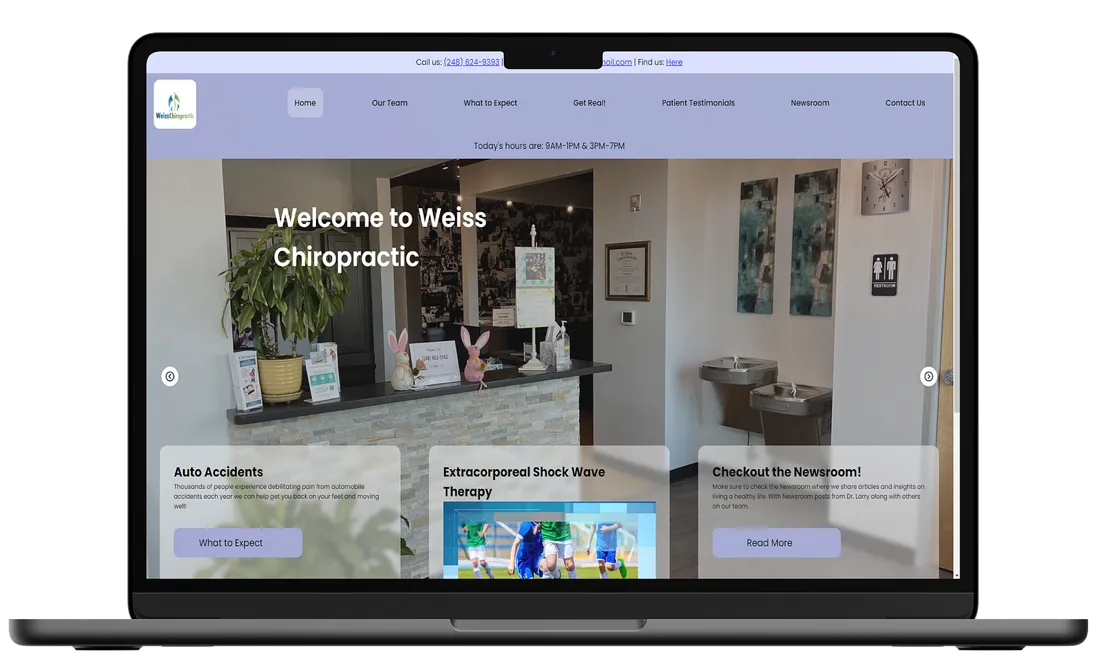
I designed and built a responsive website for a local chiropractic office after managing its social media. I reviewed five other chiropractic websites, spoke with some existing site users, shared a prototype with the client for feedback, and then built the site. The work emphasized mobile access, clear practice information, and easy contact.
Background
Over the summer, I was brought on to run the multimedia presence of a chiropractic office. This entailed running their Facebook and Instagram account, and eventually, I was provided the opportunity to create a new site for them. This was the first time I was offered to create a public site for anyone, as well as a budget to manage.
I believe there are many ways to quantify the process of design and development, as it’s very fluid and there often times is not any structure to it. For this study, I’m using Ryan Ford’s , as I believe it aligns with my process more than others.
What are we trying to do and why?
To begin the process of creating a whole new identity online, I had to start asking big questions. One of them being what am I even trying to achieve and why? What is the meaning behind the site, and how does it serve the end user?
Research
I reviewed five chiropractic practices with well-rated listings and modern websites, using Yelp and Healthgrades to find examples. I compared their page structures and content, then considered those patterns alongside the client’s existing site. This was a reference review, not a study of patient outcomes.
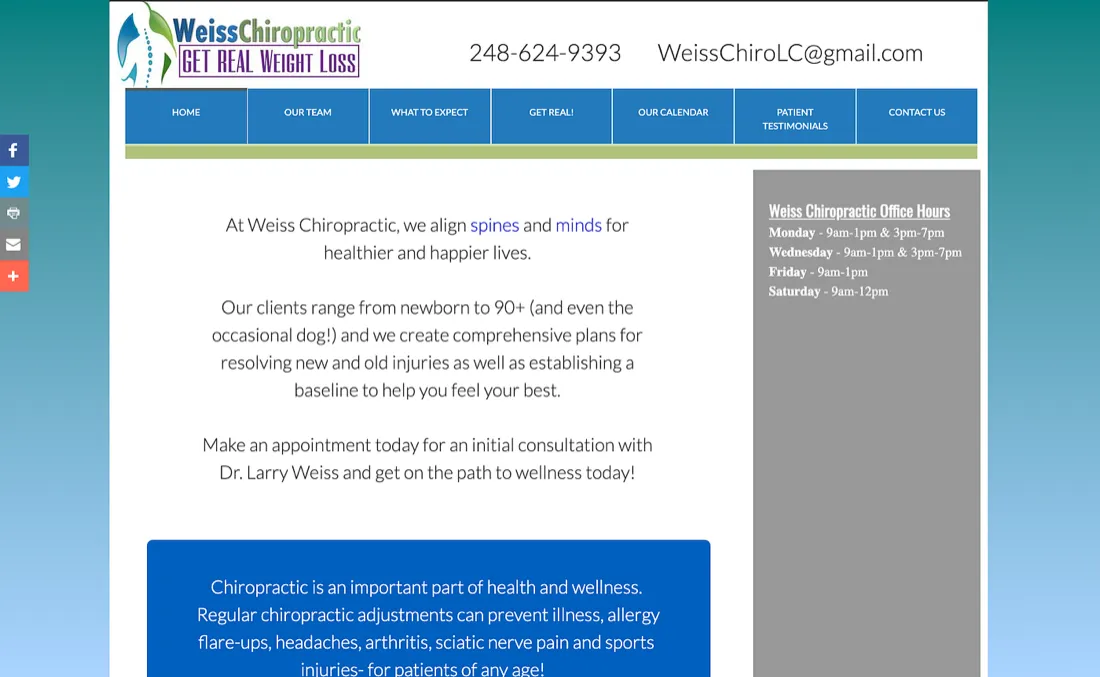
The existing site was built with GoDaddy. I noted the practice information it already provided, including details worth carrying into the redesign.
Findings
My main goal was to identify the main things that all these sites shared. Since they were all within the same vein, I found there were numerous similarities. Most started with a welcoming message stating the name of the practice, followed by a couple of prominent procedures or unique features of the practice. This is where I usually found the differentiators. Another prominent and consistent element was a live and accurate section for the current hours. This element would be a dynamic and changing element every day to make sure it was up-to-date. And lastly, I found that there was almost always a hero section. It typically would contain pictures of the practice’s building, a variety of the team working there, and some interior pictures.
User Needs and Empathy
I used the site review and conversations with some existing users to think through what patients might need from the website. The personas below were working design tools that helped me explore different preferences; they were not validated user segments.
Personas
John
John is a working persona I used to consider a patient who prefers calling or booking in person. The profile helped me keep phone contact visible as I explored the site.
Stacy
Stacy is a working persona representing a patient who values online access and may feel some anxiety about calling. The profile helped me consider clear information and flexible ways to contact the practice.
Plan
The design priorities were a mobile-friendly site, visible practice information, and straightforward ways to contact the office. I decided not to build a full online scheduling system, which would have added development and ongoing maintenance needs.
Explore and Play
This stage of the design and development process is arguably the most fun. It’s the stage that I enjoy messing up in, and I can’t say that about many things. This is where the most creative aspects of a project can shine, and I get to flex those muscles. It’s also where I see the most improvement in my designs because of review and critiquing.
Wireframes
It’s good practice to begin by creating a rough wireframe of the site before we even touch the computer.
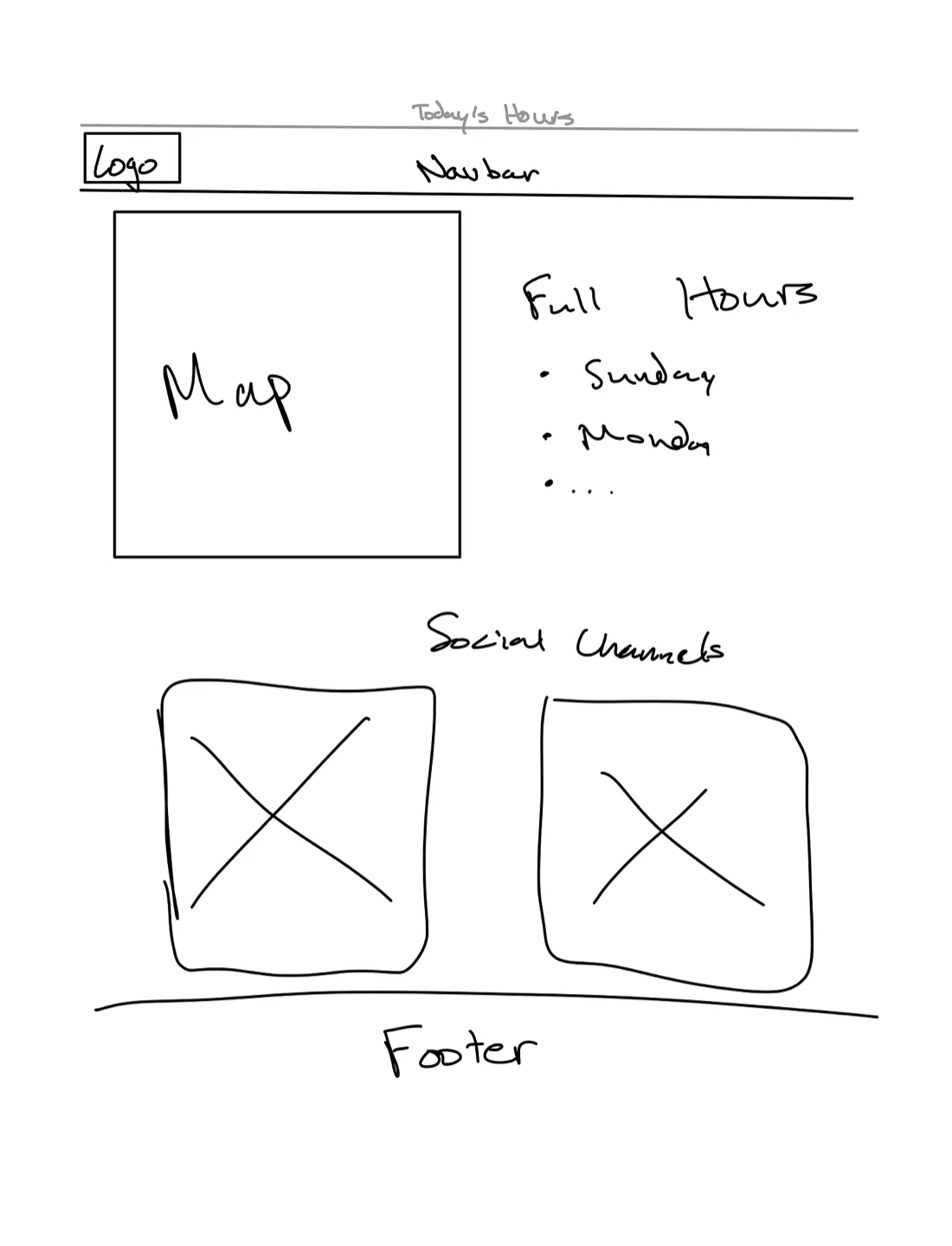
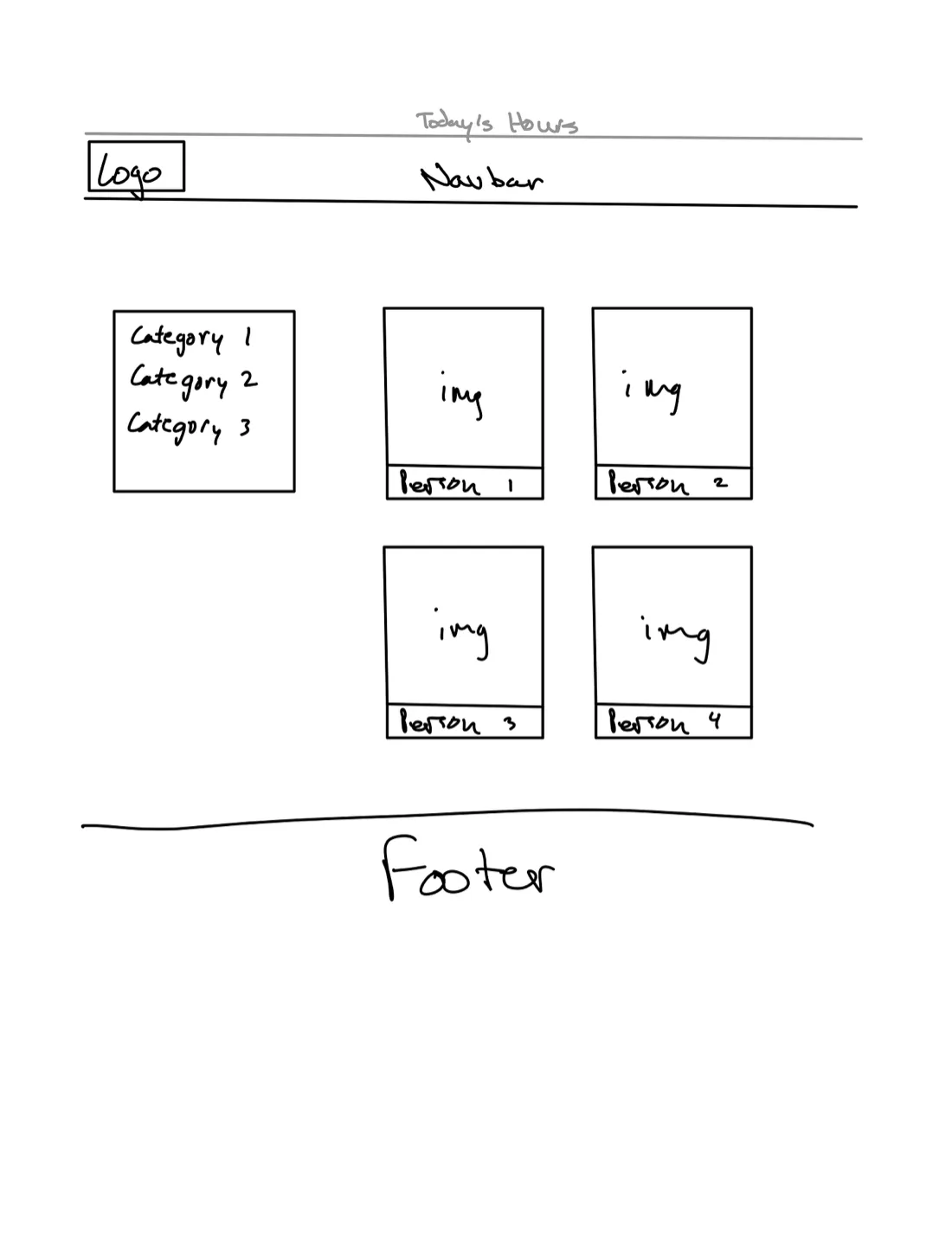
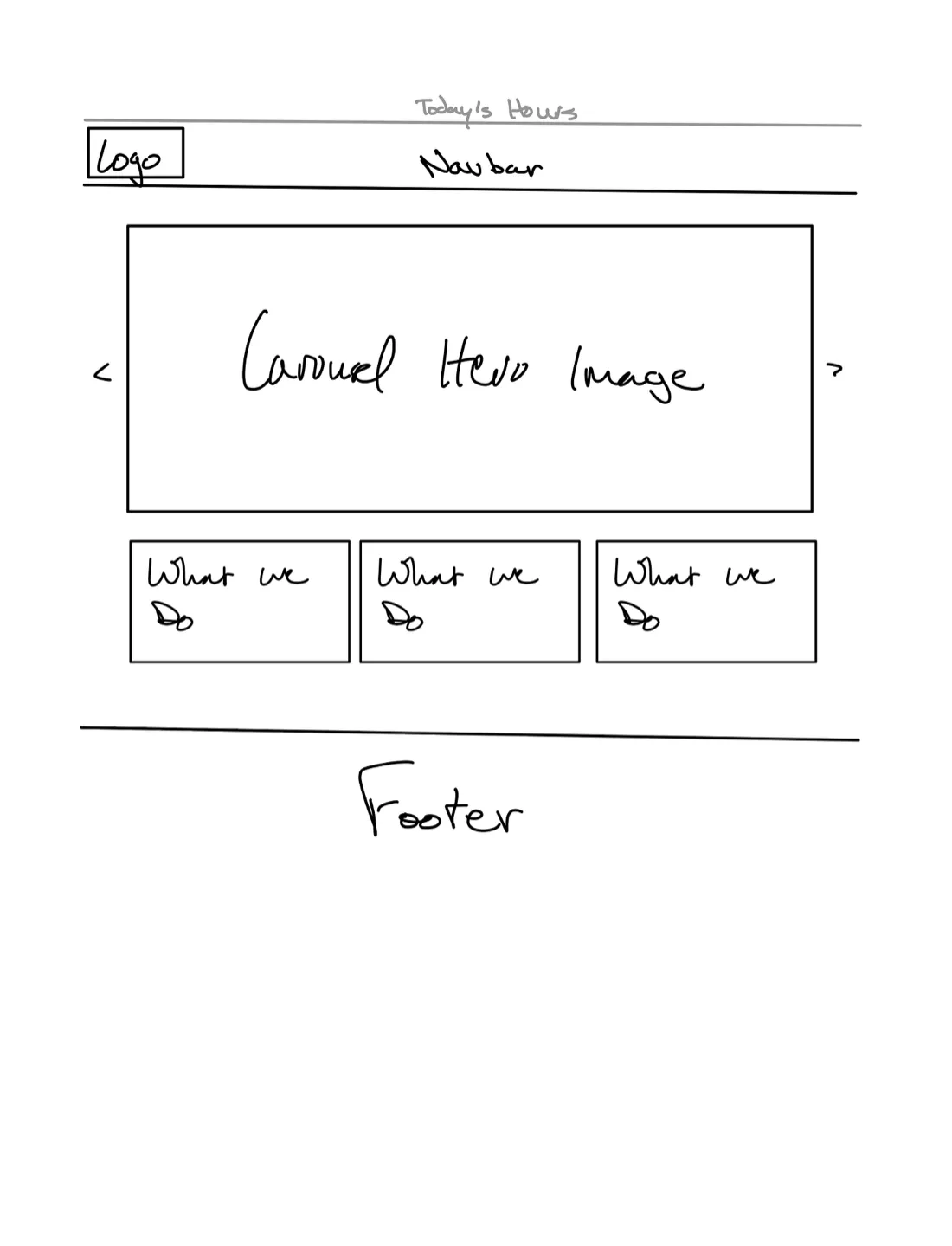
Once I had a rough idea and got some feedback from the client, I jumped right into high fidelity wire framing. This has to be my favorite part of the process for me. Many times things are reordered or redesigned completely in this stage. I believe that’s because once you start adding colors and animations and seeing what the site is really going to look and feel like, there is much room for change and inspiration to run freely.
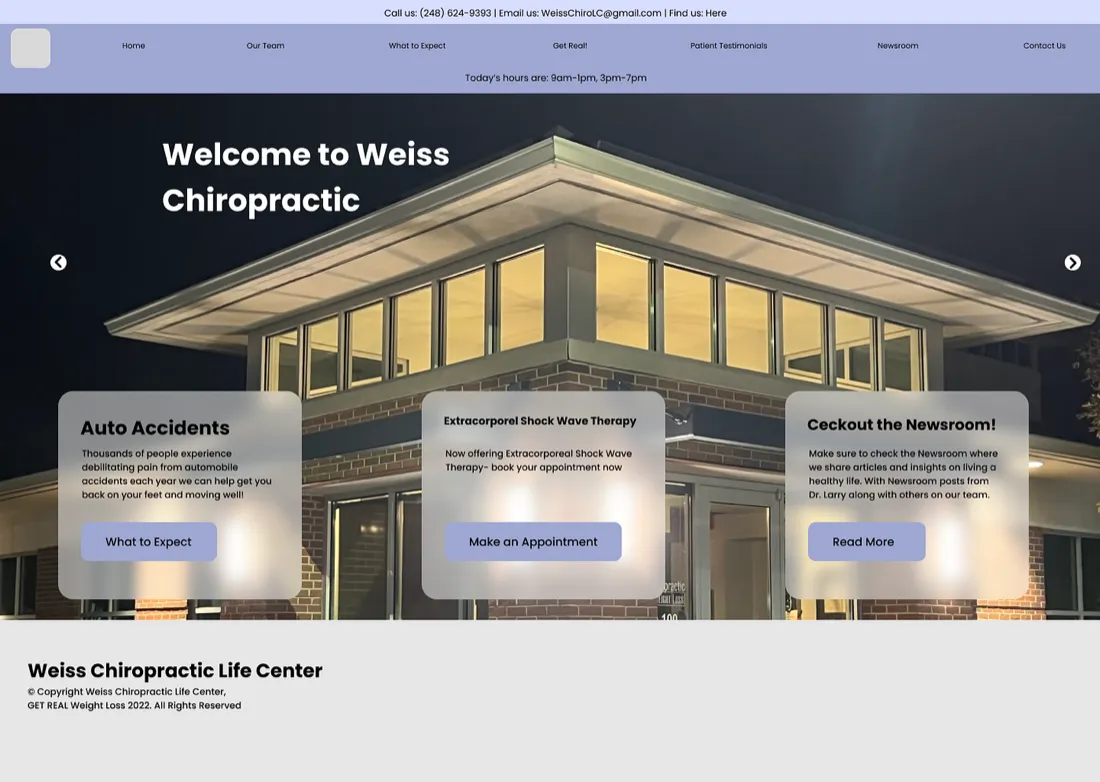
I made sure to include some of the most prominent elements from the original website and tried my best to make it feel sleek and modern on all types of screens. Furthermore, I wanted to produce a well-thought-out, modern site for my client.
Flow chart
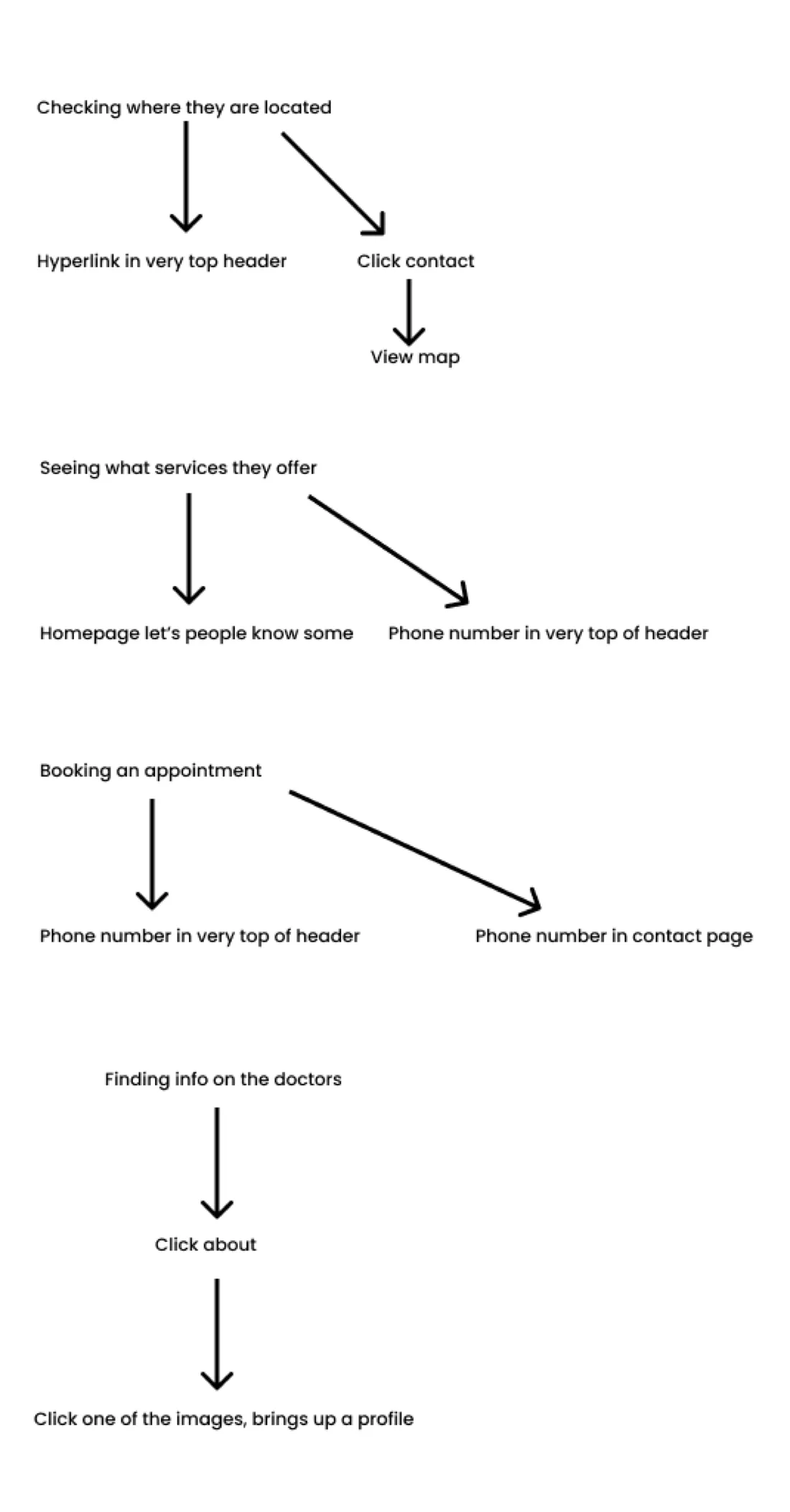
Another important piece of this stage is mapping out a user’s flow for multiple cases. I wanted to make sure that information was not buried, and the user was able to find it within 3 clicks. With these goals, I made this very abbreviated flow chart.
Prototyping
I built a password-protected prototype and shared it with the client for feedback. I used that feedback to refine the design before building the pages and adapting them for multiple screen sizes.
Build and Play
After several rounds of client feedback and implementation, I published the new website. Building it myself let me adjust the design directly as layout and interaction details emerged. I do not have post-launch data to claim an effect on inquiries, bookings, or patient experience.
Conclusion
This was a client website that moved from research and prototype to a published, responsive site. The key design choices were to make practice information and contact easy to find, support mobile use, and avoid a custom scheduling system with added cost and maintenance. I do not have post-launch performance data.