Case study · 2022
Disney World and Live Activities
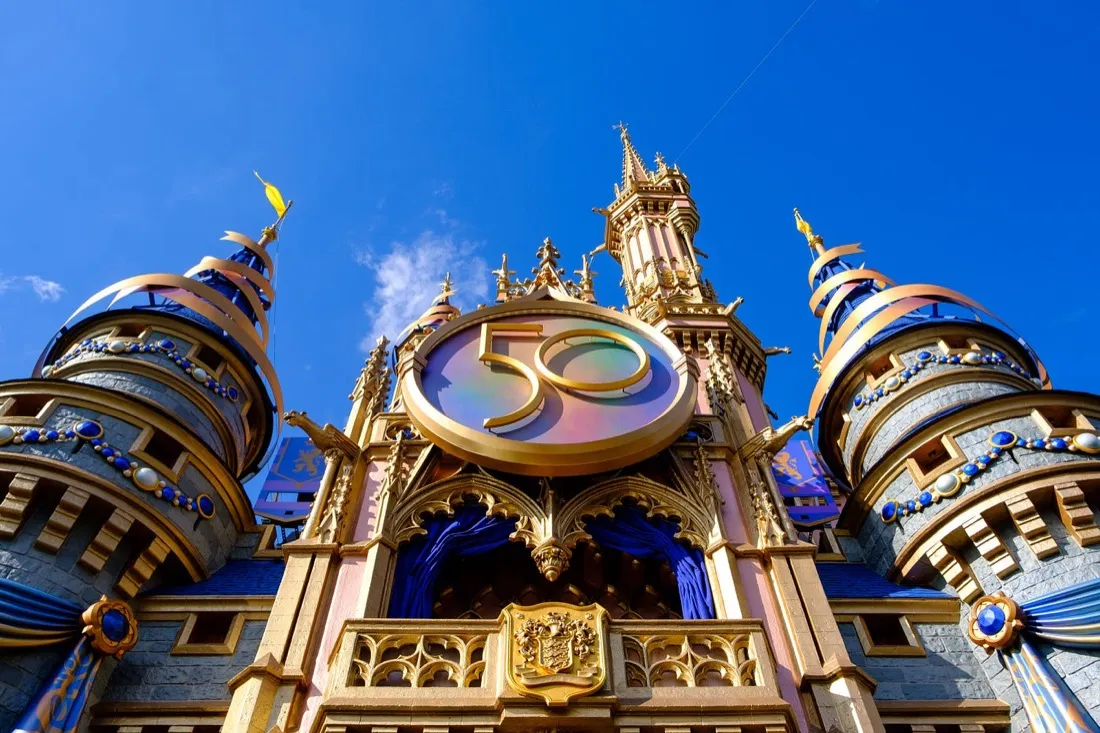
This independent 2022 concept explored how iOS Live Activities might support Disney World mobile orders and Lightning Lane reservations. I focused on keeping a few useful status updates visible on the lock screen; the ideas were not validated with Disney guests or operational data.
I created a concept for how Live Activities could fit the My Disney Experience app. I suspected that checking order status and pickup steps could feel cumbersome when guests had to reopen the app, but I did not conduct research to establish how common that experience was. Mobile ordering and Lightning Lane were design opportunities I chose to explore, rather than problems established through user research.
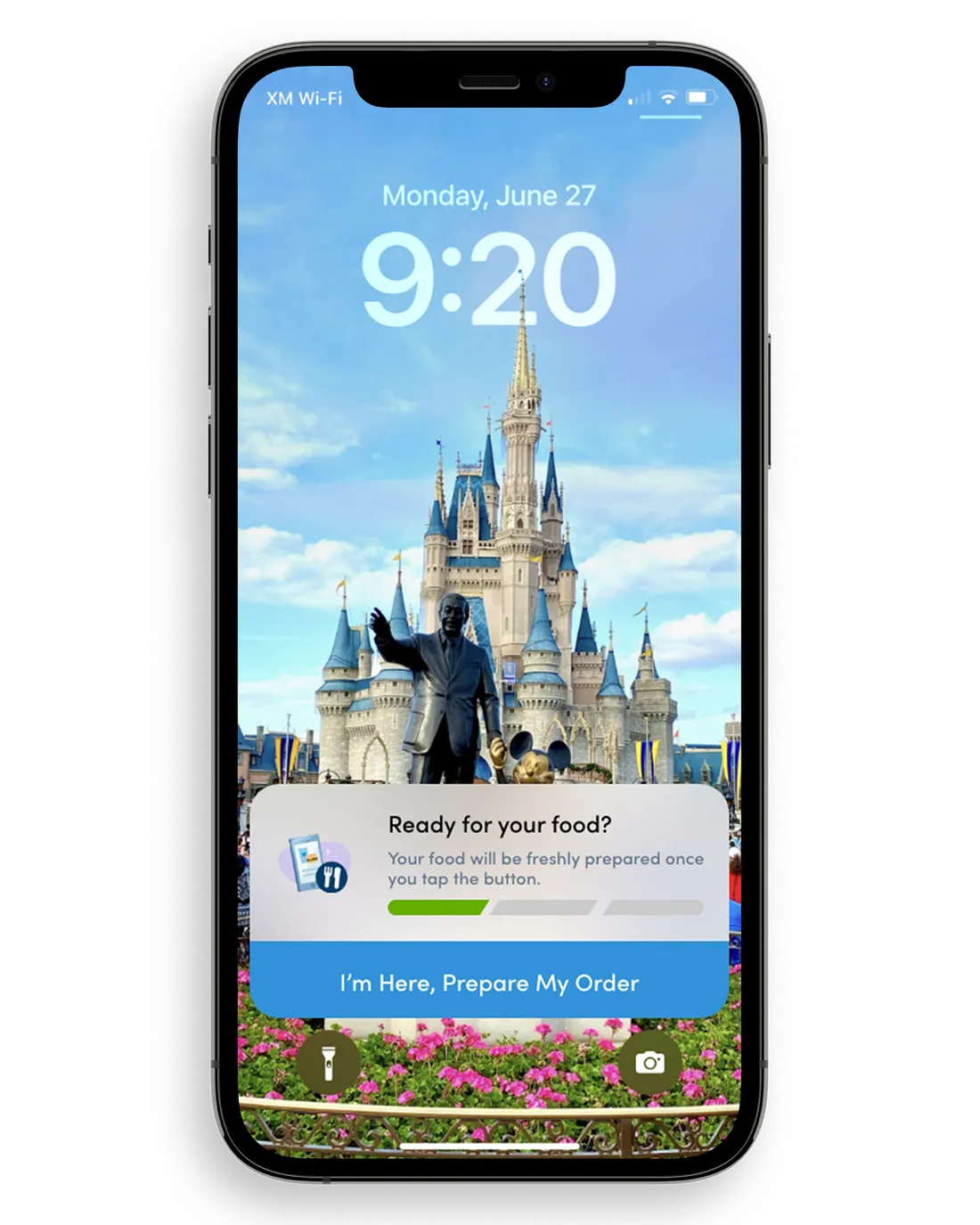
The current UI for checking the status of your order is very similar to my solution in Live Activities. But the advantages, come with not having to open your phone and find the button to press. It’s right in front of you. This prompt appears right after you place your order. I thought of the idea of only showing it after you were within a certain radius of the restaurant. But, the decision was made to disregard this choice because of finicky GPS signals and the failure case where someone could be inside the restaurant but their GPS is off and therefore wouldn’t be able to start the order.
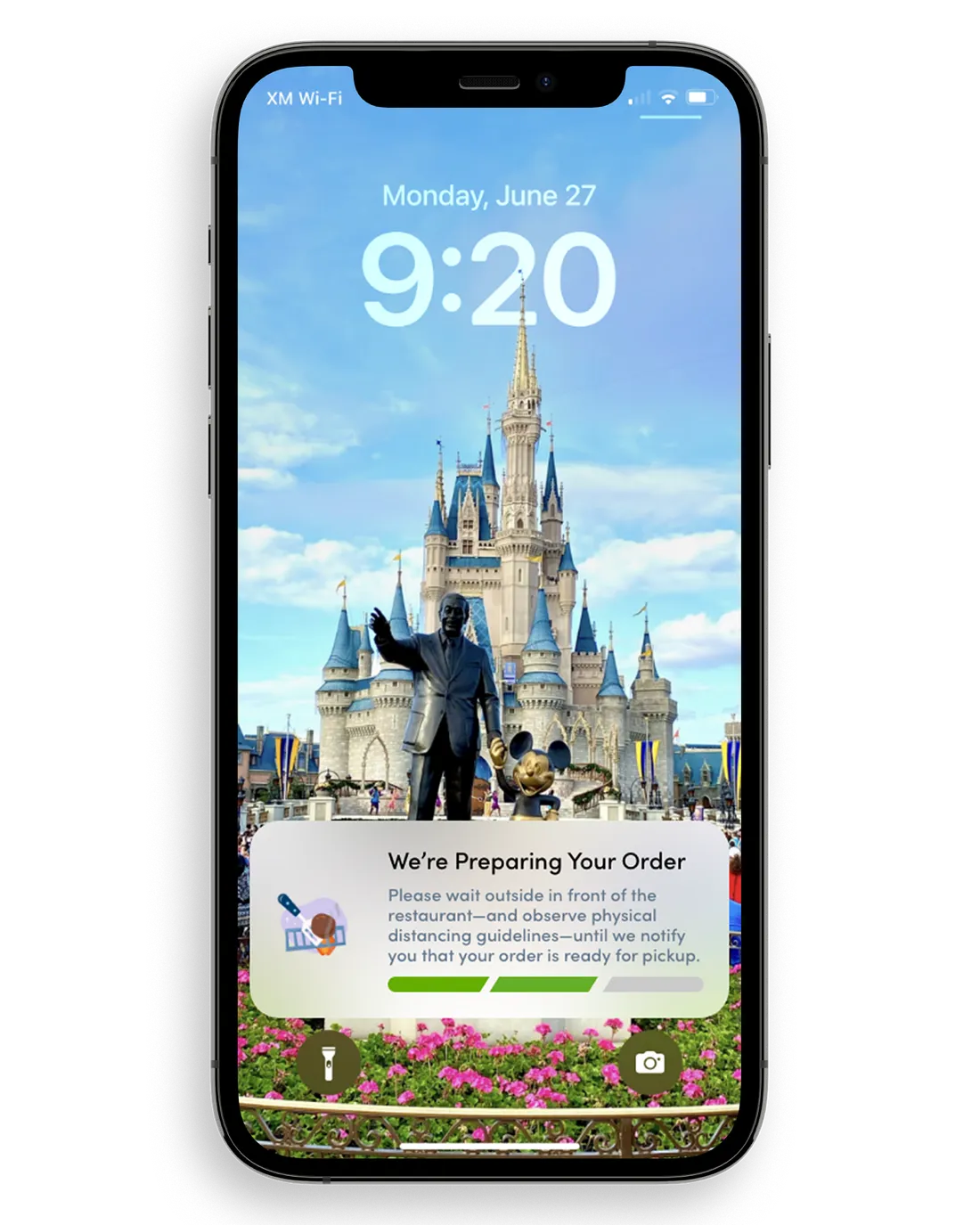
The second step is really just a status. For the user to know that the order is being made. And for the user to know that the notification isn’t stuck, or crashing, the illustration on left will animate, and flip the burger every now and then. Also, the greyed-out progress bar will have a pulsing lighter grey going from left to right. Just some visual queues to make sure the user knows, “Ok, my food is cooking and this notification is continually updating and is alive so I just need to wait until the whole progress bar is green.”
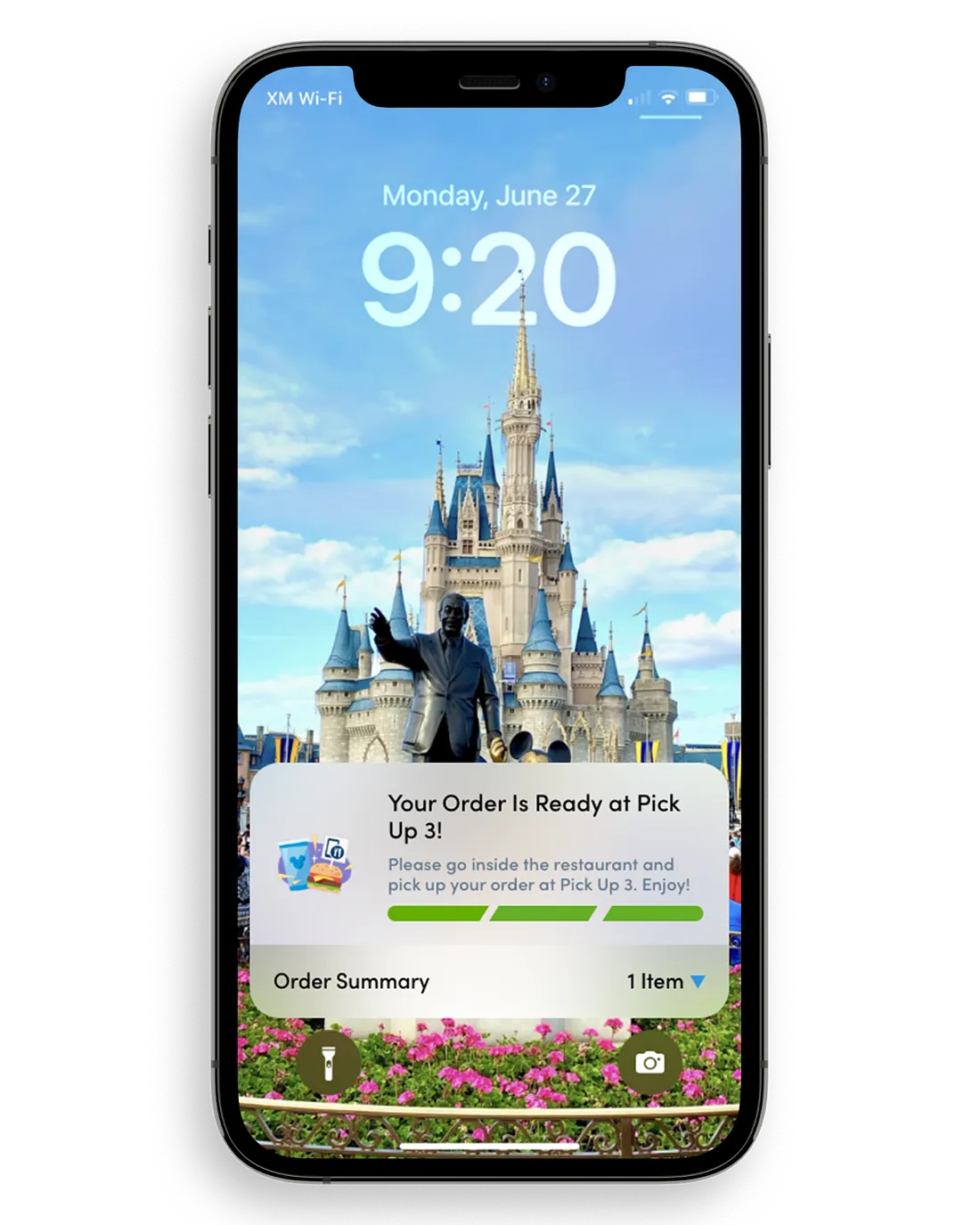
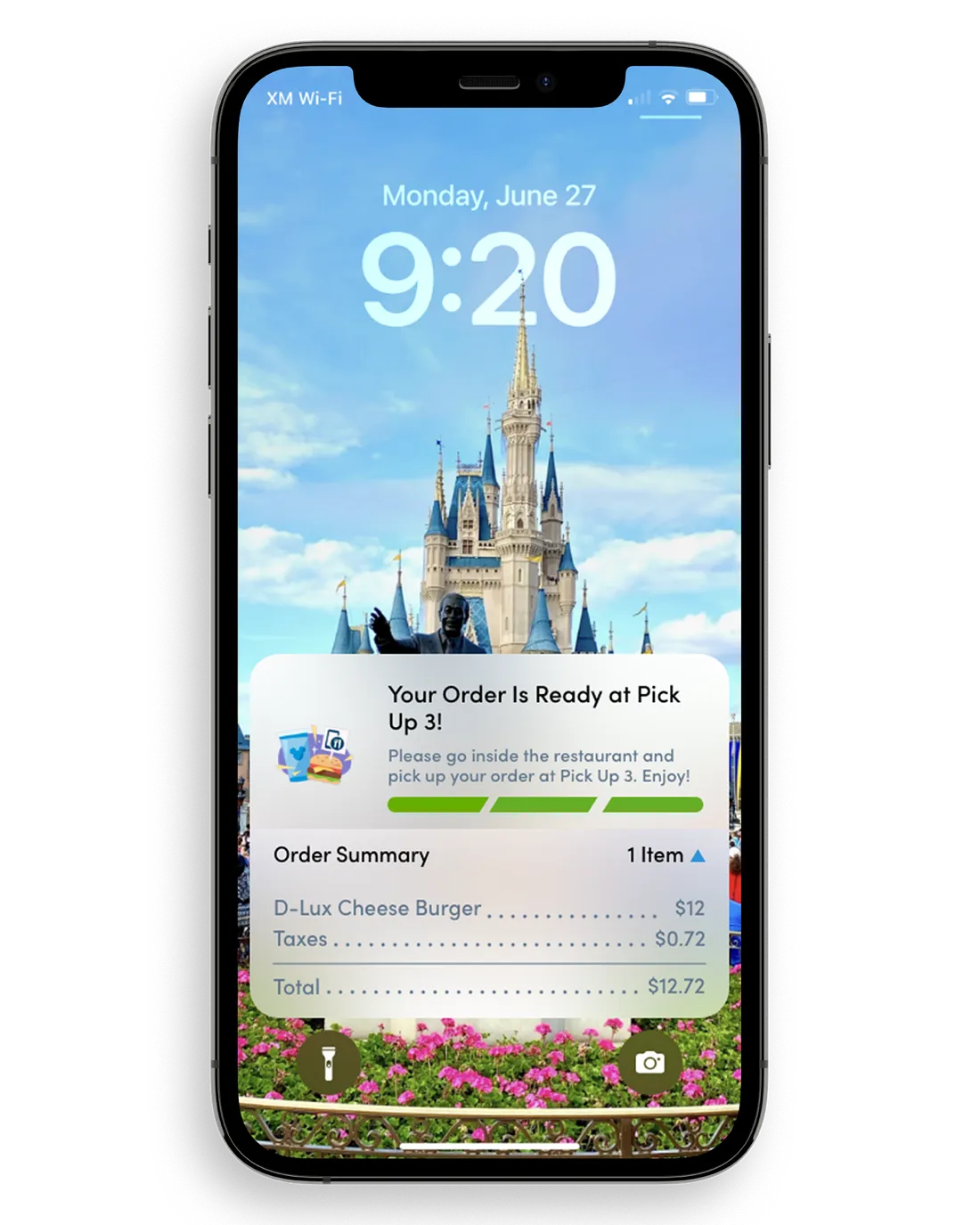
The third and final step is the confirmation screen. This tells the user that their food is ready and where to pick it up quickly and easily. This screen expires after 20 minutes, or if you dismiss it. You can also look at granular details in the order summary. If you tap on the bottom section anywhere, you get a breakdown of the costs per item.
In the 2022 context of this concept, Lightning Lane reservation timing was a visible point of discussion. I did not verify how widespread those complaints were. I narrowed this exploration to what could happen after a reservation was made, leaving the booking flow outside its scope.
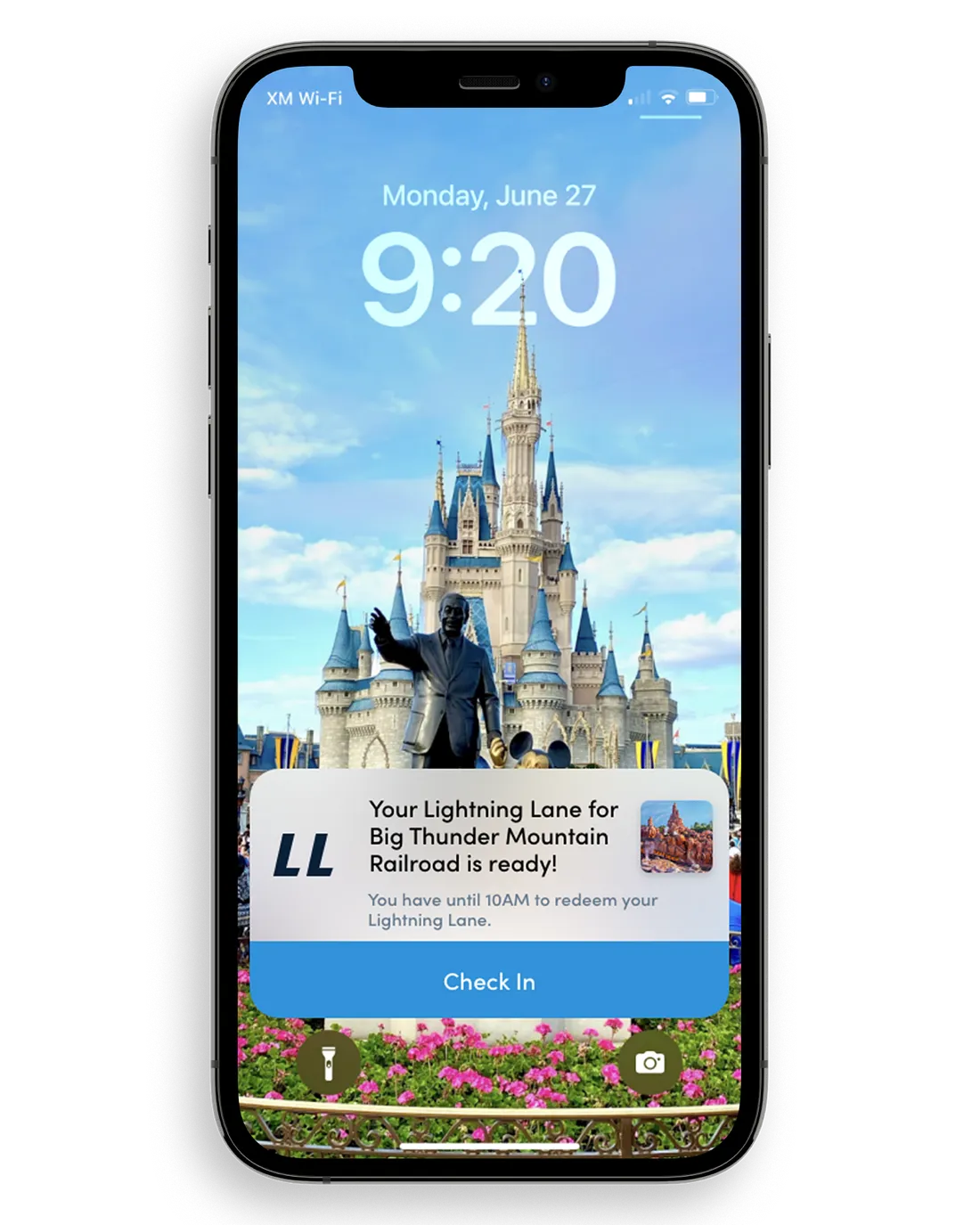
The implementation is very similar to mobile ordering. But there are a few differences when you “Check In.” So, once again, the ability to check in is not tied to GPS. Because you can’t use the on anything but the ride it’s assigned to, you can check in wherever so long as it’s within the time frame of your reservation.
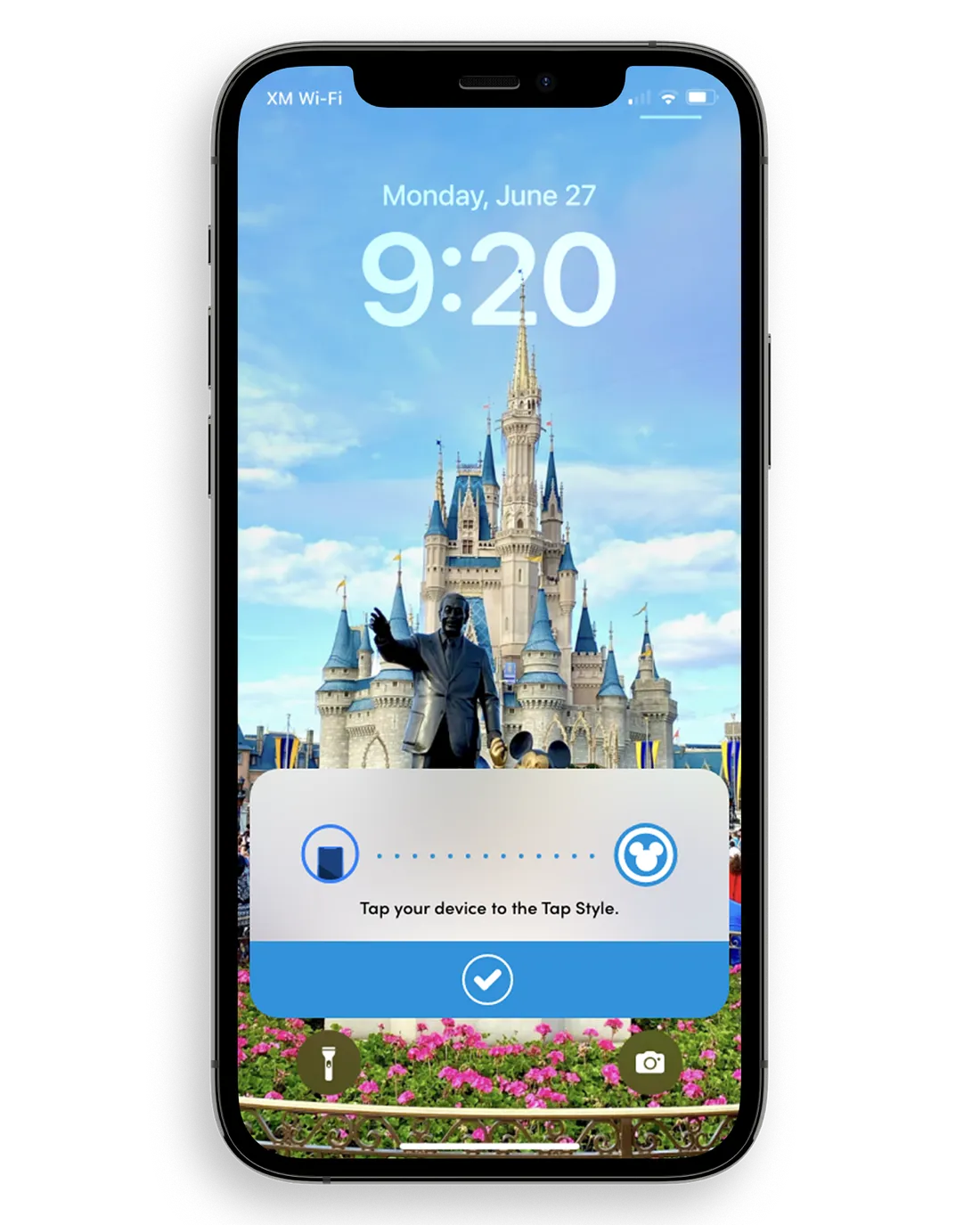
In this concept, the phone would display an NFC pass after check-in, similar to a digital ticket. This assumes the existing park entry technology and Lightning Lane systems could support the proposed interaction; I did not verify technical feasibility with Disney.
As I began exploring these new features and this brand new user flow, I knew that I needed to build in an introduction on how to use this new feature that will take up a lot of screen real estate for potentially a long time. And I needed to build a way to disable it completely.
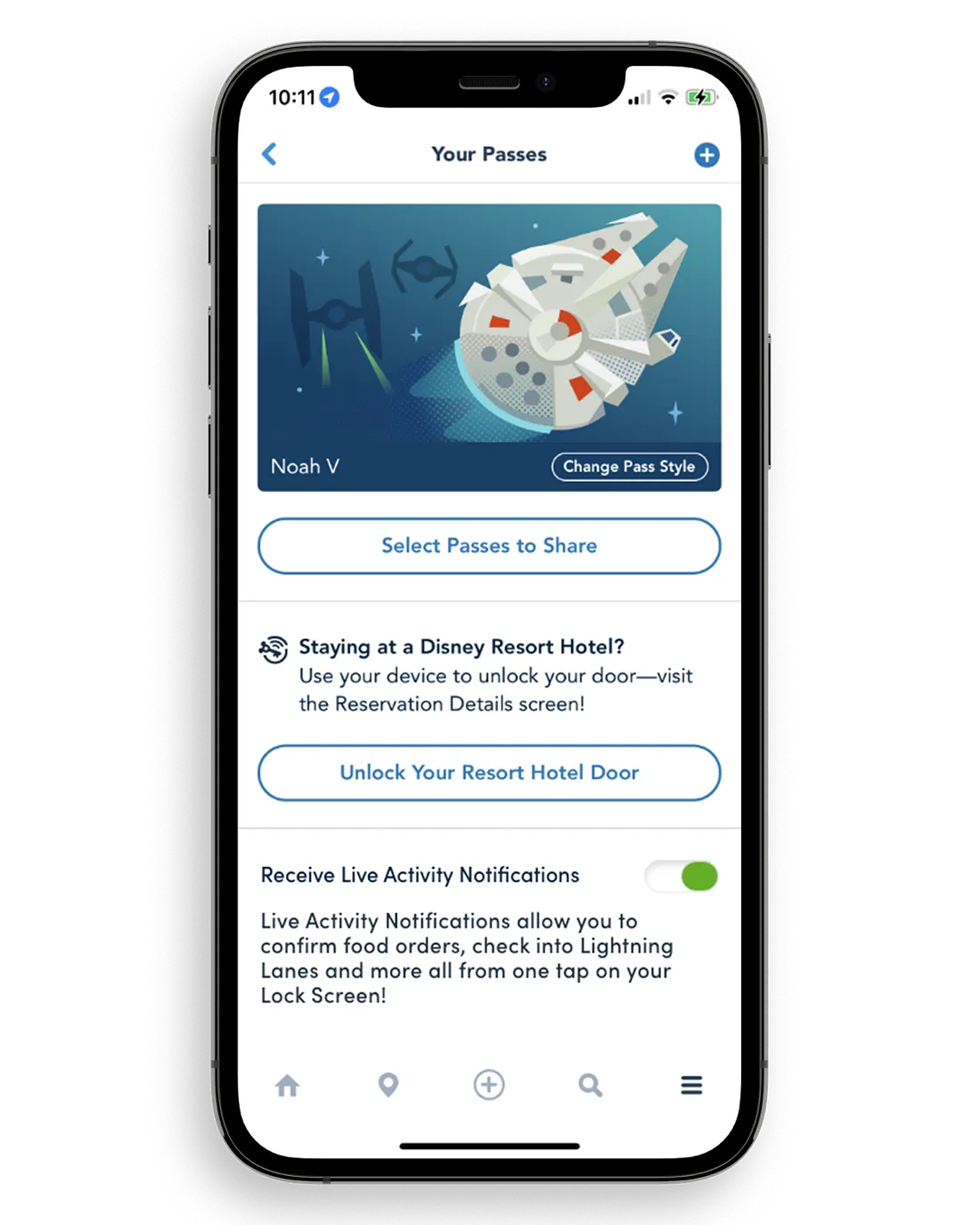
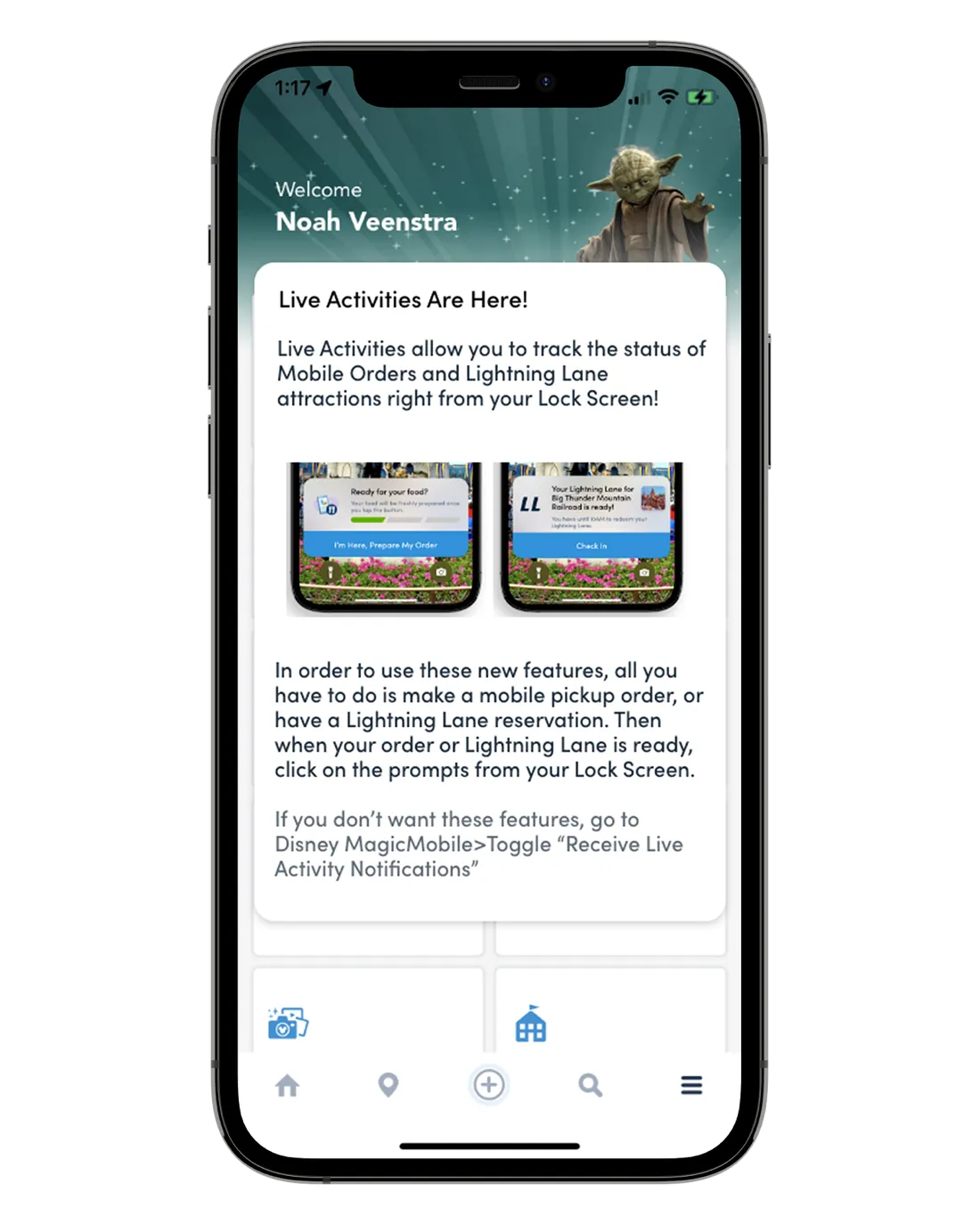
I included a first-use explainer and a way to disable Live Activities so guests could understand and control the feature. These were design choices based on transparency and control, not tested guest responses.
If you want to get to know me better, check out my site. Look at the live prototype here.