Case study
A wedding website made with care
A personal, connected experience for guests and the people planning the day
The first impression matters
I designed a custom wedding experience for two groups with different needs: guests who need a personal, straightforward way to respond, and the two of us who need to update information and manage the details. I used editable prefilled information, household invitation codes, and in context editing to address those needs.
When Leah and I started planning our wedding, I wanted our website to communicate the same care we were putting into the day itself. Many wedding sites felt interchangeable to me. A custom experience gave us room to make that first interaction feel personal.
I owned the wireframes, design direction, and product decisions, using AI to generate the code and refining it through detailed review. The site evolved from an initial save-the-date experience into a redesigned website with an RSVP flow, content management, and a Stripe-based donation experience.
A navigation that feels alive
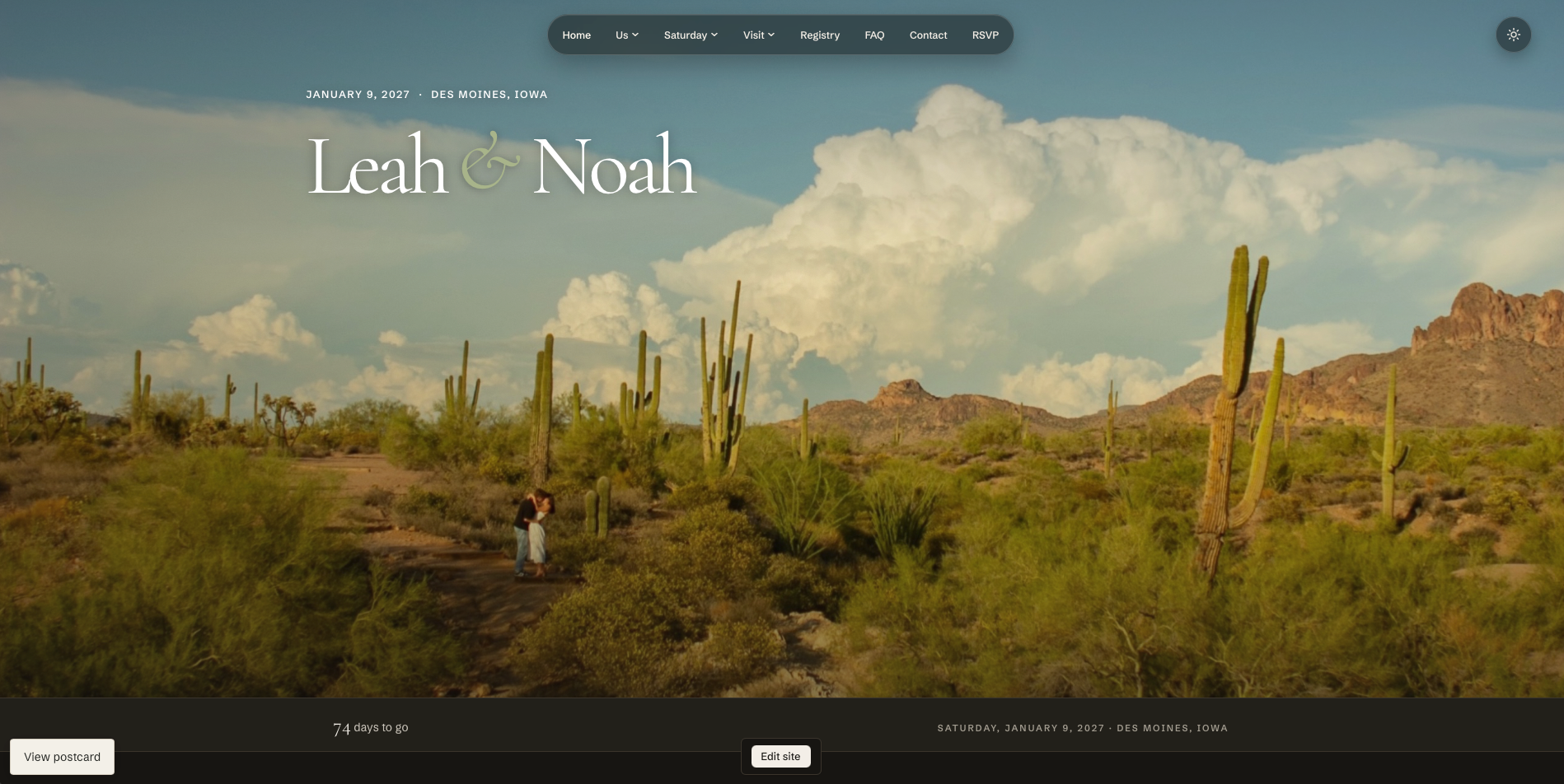
Earlier development version

A conventional row of links, separate from the page imagery.
Current website

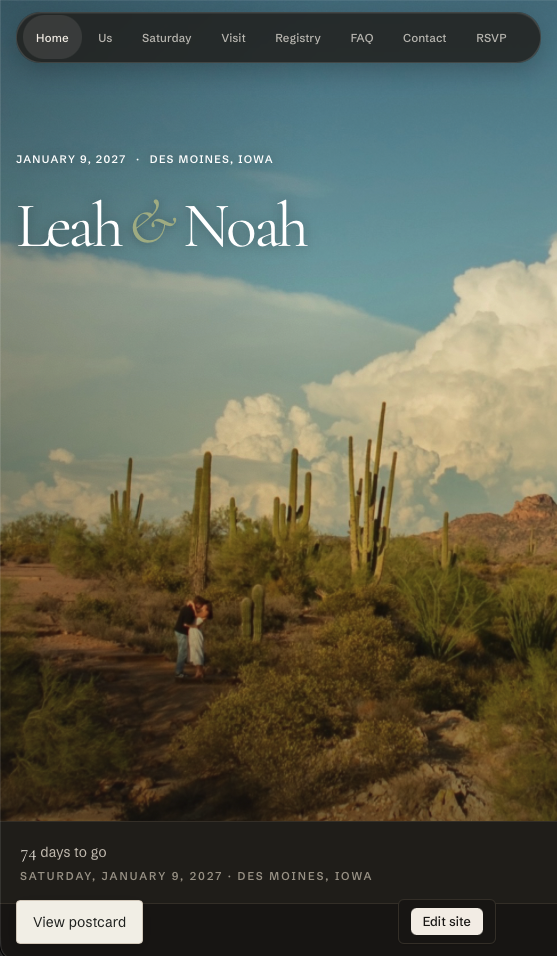
A floating pill that stays connected to the page as guests explore.
The earliest navigation was a basic row of links. I wanted it to feel playful, fluid, and polished while still making the site easy to explore.
I directed it toward a floating, sticky pill with a blurred background, adaptive text contrast, and a moving indicator for the active and hovered links. Dropdowns animate and transition between sections to create a sense of continuity. The exact easing and contrast took many rounds of review: I needed to experience them in context before they felt right.
A coworker specifically noticed the navigation and said the time spent refining it was worthwhile.
Less work for guests
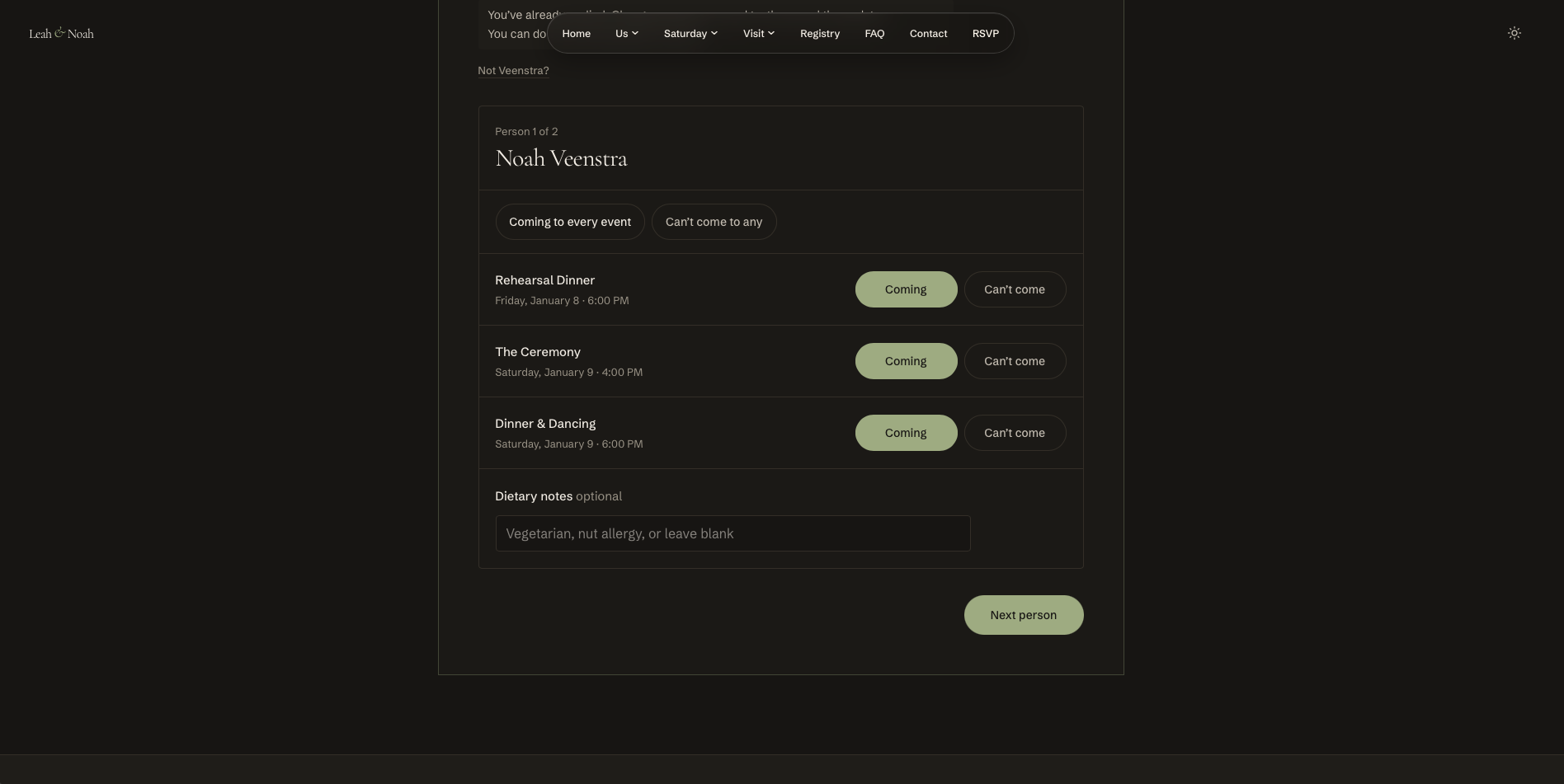
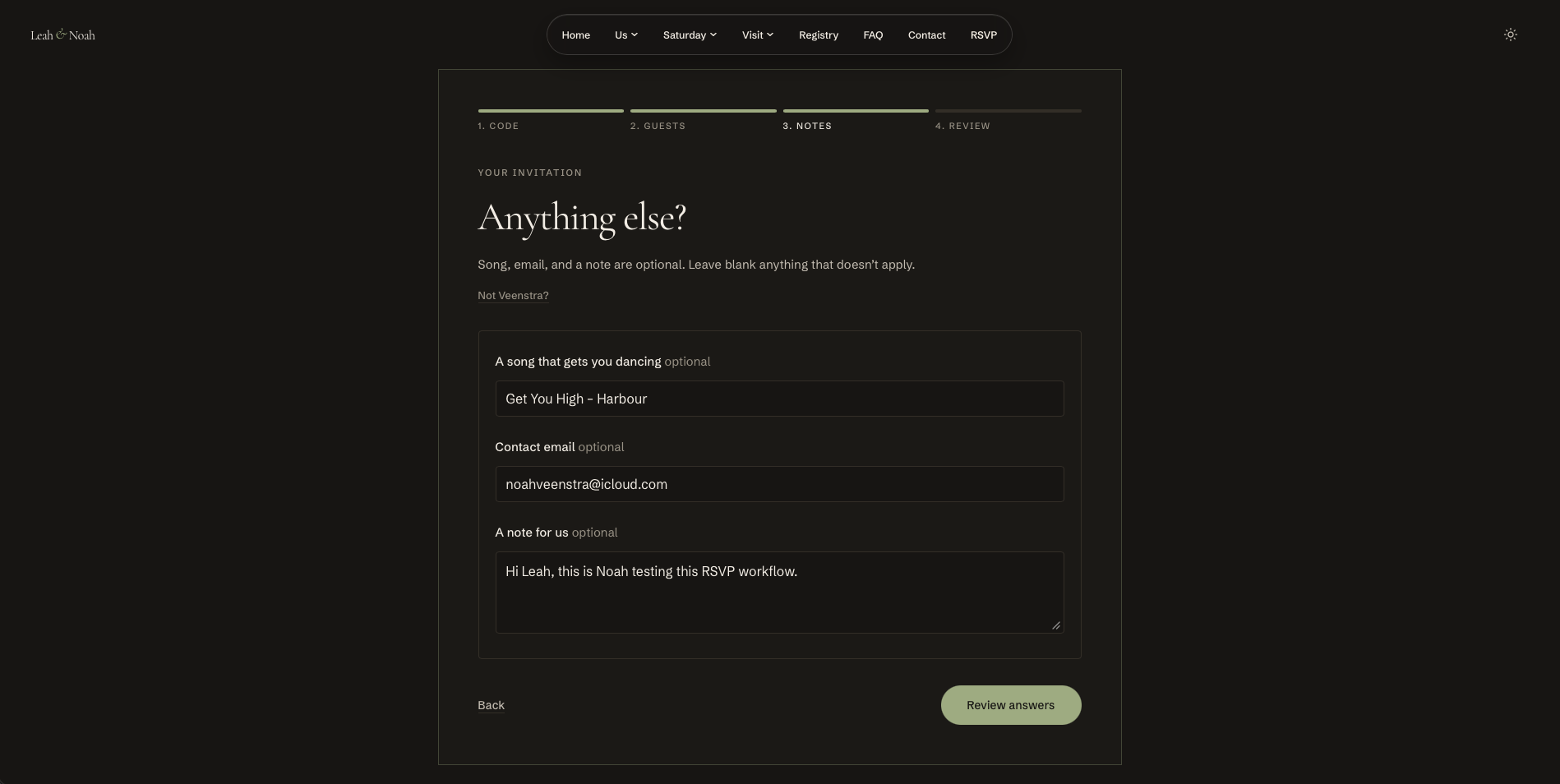
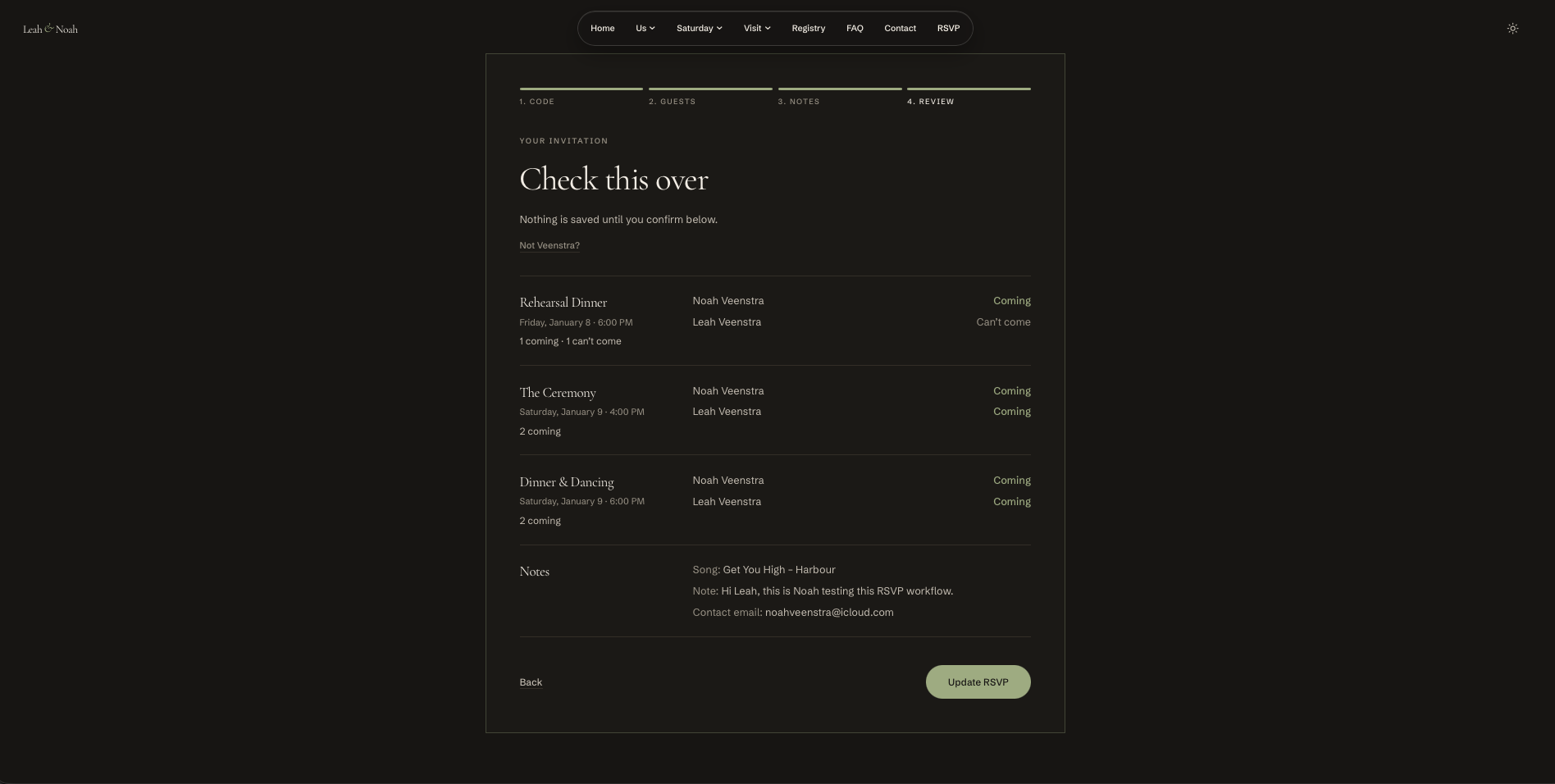
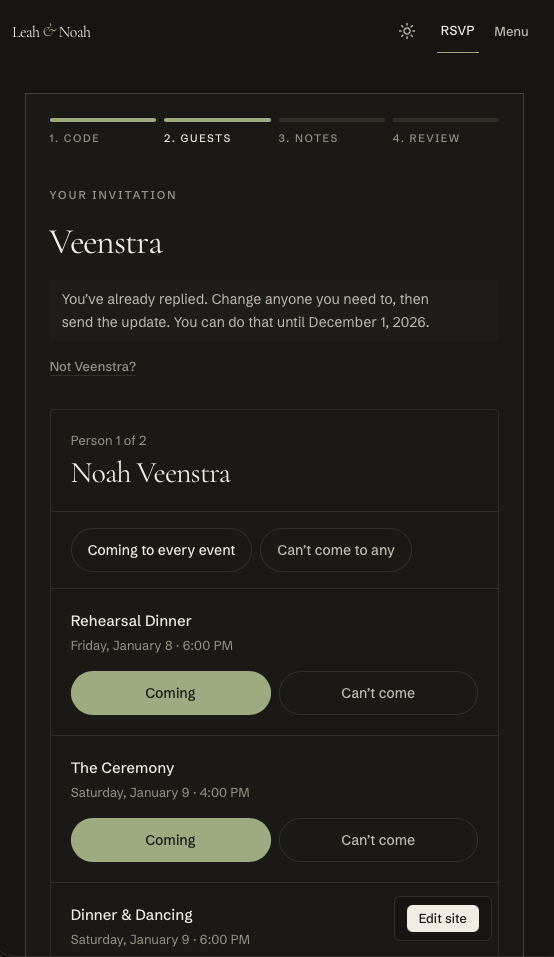
I wanted the RSVP experience to collect what we needed without asking guests to do unnecessary work. The flow is tailored to our wedding and guides each household through its responses. It omits meal selection for our buffet reception.
Where Leah and I already had information, the save-the-date experience could prefill it while leaving it editable. Guests told us they appreciated that. I chose household invitation codes to limit casual access to household information.
Giving both of us control
Earlier approach
A separate admin portal
Updating content meant finding the right field away from the page it belonged to.
What I changed
Select content in context
Signed in admins select the part of the site they want to change, then edit it in a focused editor.
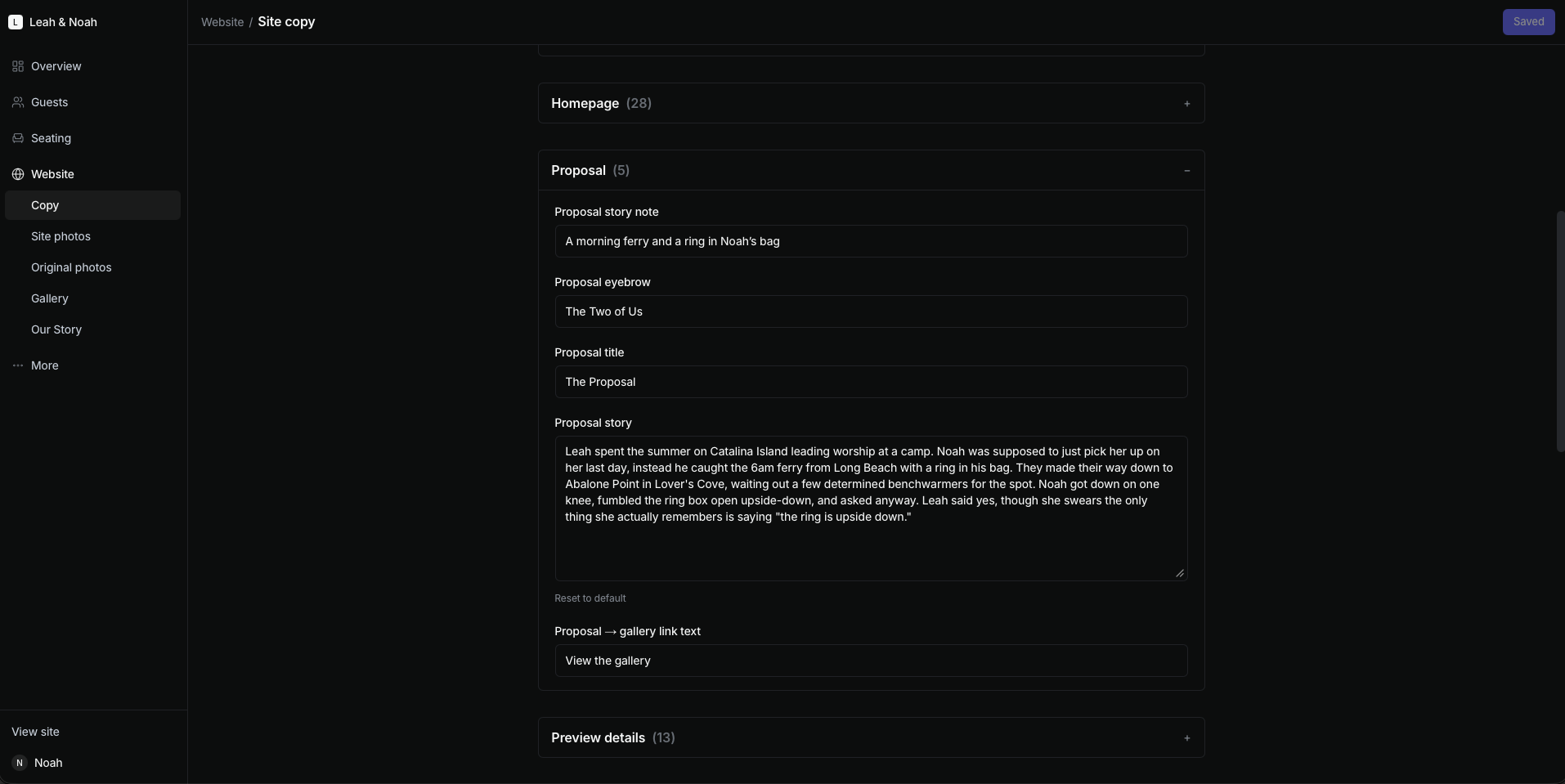
Updating content through GitHub felt impractical. The separate admin backend technically let Leah edit the site, but its fields were hard to map back to the page, so she made little progress. I wanted her to be able to select the content where it appeared and change it in context.
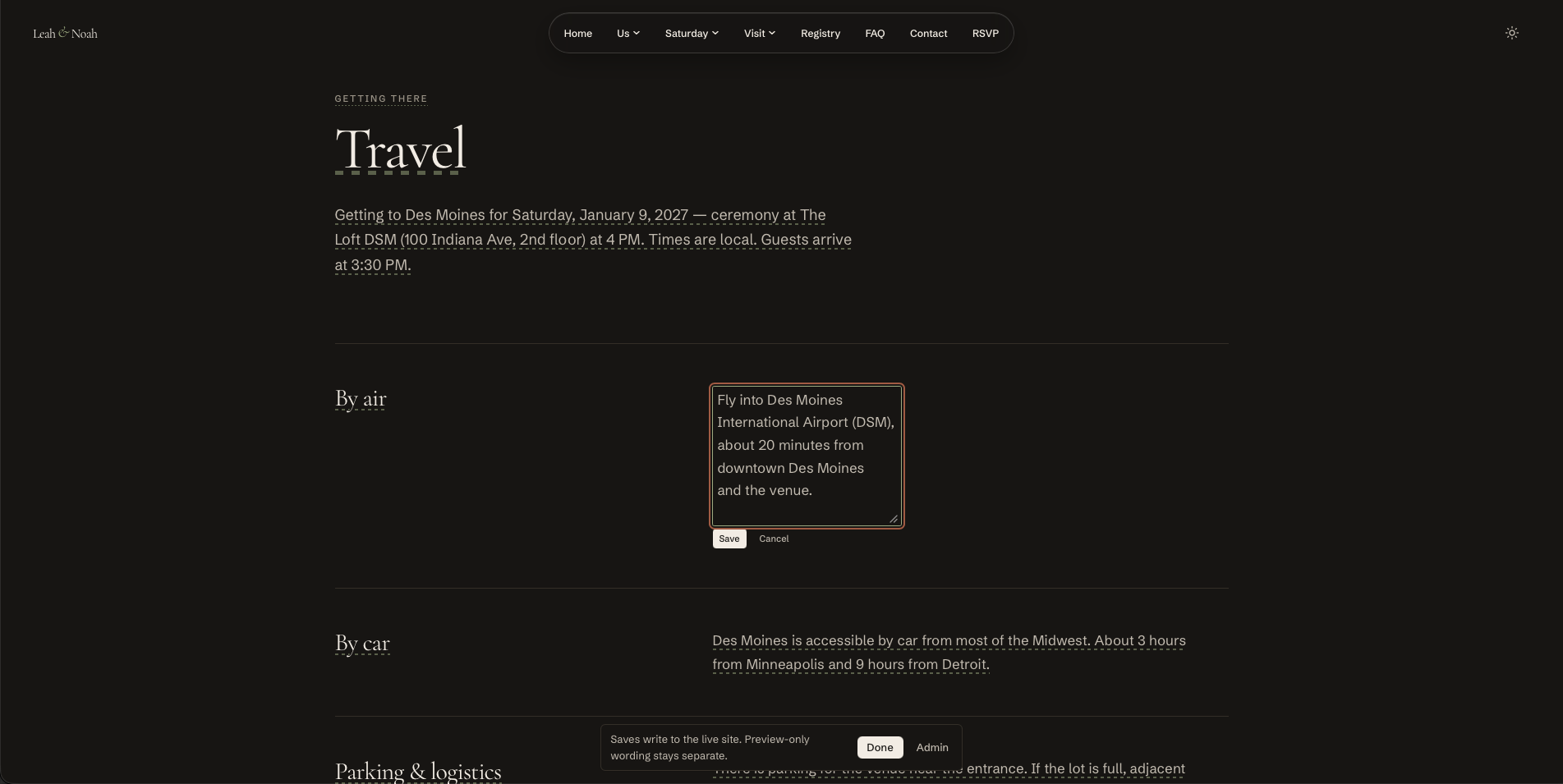
I directed an in context editor for signed in admins. Leah used it herself to fully personalize the FAQ and Our Story sections. She could select the content on the page and edit it without first figuring out which backend field controlled it. This was real site management, not just a positive reaction to a prototype. The editor keeps surrounding content visible, although the editing field can shift the layout while it is open.
A process of intentional iteration
The first save-the-date version took about a month. I reviewed and refined each section through many iterations, using mockups and specific goals to guide the AI toward the experience I envisioned. The current site is a full redesign for the RSVP phase.
Next, I want to observe guests using the RSVP flow and improve how edits stay visible in context. Feedback so far comes from informal conversations with guests, coworkers, and Leah; RSVP completion outcomes have not yet been evaluated. Household codes limit casual access, rather than guaranteeing security.